Create a Signature Label for Your Next Collection.
Live Online Zoom Workshop
From basic to best in class. Learn practical techniques for developing polished, professional-looking product labels that give your products a more finished, cohesive presentation.
Your product label is one of the first things customers notice. In this live workshop, you’ll learn how to improve your existing labels or develop a new design using Canva. Follow along with a live screen-sharing demonstration, see how in-house design decisions are made, and get practical guidance you can apply to your own products.
This is an opportunity to work through the details with an experienced instructor, ask questions, and learn techniques you can continue using long after the workshop.
What You’ll Learn
Design and Layout Techniques: Learn how to arrange text, organize information, use spacing, and create a more polished label layout.
Label Sizing and Formatting: Understand how to determine appropriate label dimensions and work with common sizes for bottles and jars.
Typography and Visual Presentation: Improve the appearance, readability, and overall balance of your product labels.
Preparing Designs for Printing: Learn how to format and prepare your label designs for printing.
Working With Your Own Products: Apply the techniques to labels you’re developing or want to improve.
What You’ll Receive
Your registration includes digital resources to help you continue working after the live workshop.
Workshop Presentation: A copy of the presentation used during class, with key concepts and examples.
Label Design Guide: A practical reference for working through the label design process.
Label Dimension Reference: Common label dimensions for popular bottles and jars to help you establish a starting point for your own measurements.
Canva How-To Instructions: Additional guidance to help you continue working with your designs after class.
Product Presentation Tips: A few practical tips for improving how your products appear on your website, including useful adjustments for Squarespace and Shopify.
Product Photography Tips: Simple guidance for making your product images look more polished and consistent.
All resources are provided digitally.
More Than a Label
A better label is an important part of a better product presentation.
We’ll also cover a few practical ways to carry that improvement into your online storefront. You’ll see how small adjustments to product display and presentation can help create a more cohesive appearance across your website.
These are focused tips to complement the label workshop, not a full website design or photography course.
What to Bring
Come prepared to work with your own products and ideas.
Existing labels you’d like to improve, or ideas for labels you’d like to create.
The bottles, jars, or product packaging you’re designing for, if available.
A computer or laptop with internet access.
A reliable internet connection for the Zoom workshop.
Something to take notes with.
A Canva account.
Canva: A free Canva account is sufficient for the workshop. Canva Pro is optional. If you don’t already have an account, you can create a free one at Canva.com.
For the best experience, join from a computer or laptop rather than a phone so you can follow the screen-sharing demonstrations and work with your designs.
Please sign in to Zoom approximately five minutes before the scheduled start time so you’re ready when the workshop begins.
Registration and Attendance
Registration reserves your place in the scheduled live workshop.
Because the workshop includes live instruction and digital materials, please plan to attend at the scheduled time.
Missed Workshops: If you register but are unable to attend, you’ll still receive the digital workshop materials. You may also register for another scheduled workshop if a future session is offered and space is available. Registration does not guarantee a place in a future session.
Registration Policy: Workshop registrations are final and nonrefundable. Please review the scheduled date and time before registering.
If We Need to Reschedule: In the unlikely event that we need to cancel or reschedule a workshop, registered participants will receive a full refund and the digital workshop materials. We will communicate any scheduling changes directly to registered participants.
Ready to Improve Your Labels?
Bring your products, your ideas, and the labels you’ve been working on. Leave with practical techniques, useful resources, and a clearer understanding of how to create a more polished product presentation.
Your Workshop Ticket & Zoom Information
Your digital workshop ticket is available immediately after registration. Once your purchase is complete, you can download your ticket, which includes everything you need to prepare for and join the live workshop.
Your ticket includes:
Workshop date and start time
Zoom meeting link
Meeting ID and passcode, if required
Instructions for joining the workshop
Joining the Workshop
Use the Zoom link provided in your ticket to join at the scheduled time. We recommend signing in approximately five minutes before the workshop begins.
You can join through the Zoom app or a supported web browser. A computer or laptop is recommended so you can easily follow the live screen-sharing demonstrations.
Keep Your Ticket
Download and save your workshop ticket after purchase so you can easily access your Zoom information when it’s time for class.
Approximately 60 to 90 minutes
Create a Signature Label for Your Next Collection.
Live Online Zoom Workshop
From basic to best in class. Learn practical techniques for developing polished, professional-looking product labels that give your products a more finished, cohesive presentation.
Your product label is one of the first things customers notice. In this live workshop, you’ll learn how to improve your existing labels or develop a new design using Canva. Follow along with a live screen-sharing demonstration, see how in-house design decisions are made, and get practical guidance you can apply to your own products.
This is an opportunity to work through the details with an experienced instructor, ask questions, and learn techniques you can continue using long after the workshop.
What You’ll Learn
Design and Layout Techniques: Learn how to arrange text, organize information, use spacing, and create a more polished label layout.
Label Sizing and Formatting: Understand how to determine appropriate label dimensions and work with common sizes for bottles and jars.
Typography and Visual Presentation: Improve the appearance, readability, and overall balance of your product labels.
Preparing Designs for Printing: Learn how to format and prepare your label designs for printing.
Working With Your Own Products: Apply the techniques to labels you’re developing or want to improve.
What You’ll Receive
Your registration includes digital resources to help you continue working after the live workshop.
Workshop Presentation: A copy of the presentation used during class, with key concepts and examples.
Label Design Guide: A practical reference for working through the label design process.
Label Dimension Reference: Common label dimensions for popular bottles and jars to help you establish a starting point for your own measurements.
Canva How-To Instructions: Additional guidance to help you continue working with your designs after class.
Product Presentation Tips: A few practical tips for improving how your products appear on your website, including useful adjustments for Squarespace and Shopify.
Product Photography Tips: Simple guidance for making your product images look more polished and consistent.
All resources are provided digitally.
More Than a Label
A better label is an important part of a better product presentation.
We’ll also cover a few practical ways to carry that improvement into your online storefront. You’ll see how small adjustments to product display and presentation can help create a more cohesive appearance across your website.
These are focused tips to complement the label workshop, not a full website design or photography course.
What to Bring
Come prepared to work with your own products and ideas.
Existing labels you’d like to improve, or ideas for labels you’d like to create.
The bottles, jars, or product packaging you’re designing for, if available.
A computer or laptop with internet access.
A reliable internet connection for the Zoom workshop.
Something to take notes with.
A Canva account.
Canva: A free Canva account is sufficient for the workshop. Canva Pro is optional. If you don’t already have an account, you can create a free one at Canva.com.
For the best experience, join from a computer or laptop rather than a phone so you can follow the screen-sharing demonstrations and work with your designs.
Please sign in to Zoom approximately five minutes before the scheduled start time so you’re ready when the workshop begins.
Registration and Attendance
Registration reserves your place in the scheduled live workshop.
Because the workshop includes live instruction and digital materials, please plan to attend at the scheduled time.
Missed Workshops: If you register but are unable to attend, you’ll still receive the digital workshop materials. You may also register for another scheduled workshop if a future session is offered and space is available. Registration does not guarantee a place in a future session.
Registration Policy: Workshop registrations are final and nonrefundable. Please review the scheduled date and time before registering.
If We Need to Reschedule: In the unlikely event that we need to cancel or reschedule a workshop, registered participants will receive a full refund and the digital workshop materials. We will communicate any scheduling changes directly to registered participants.
Ready to Improve Your Labels?
Bring your products, your ideas, and the labels you’ve been working on. Leave with practical techniques, useful resources, and a clearer understanding of how to create a more polished product presentation.
Your Workshop Ticket & Zoom Information
Your digital workshop ticket is available immediately after registration. Once your purchase is complete, you can download your ticket, which includes everything you need to prepare for and join the live workshop.
Your ticket includes:
Workshop date and start time
Zoom meeting link
Meeting ID and passcode, if required
Instructions for joining the workshop
Joining the Workshop
Use the Zoom link provided in your ticket to join at the scheduled time. We recommend signing in approximately five minutes before the workshop begins.
You can join through the Zoom app or a supported web browser. A computer or laptop is recommended so you can easily follow the live screen-sharing demonstrations.
Keep Your Ticket
Download and save your workshop ticket after purchase so you can easily access your Zoom information when it’s time for class.
Approximately 60 to 90 minutes
 Image 1 of 17
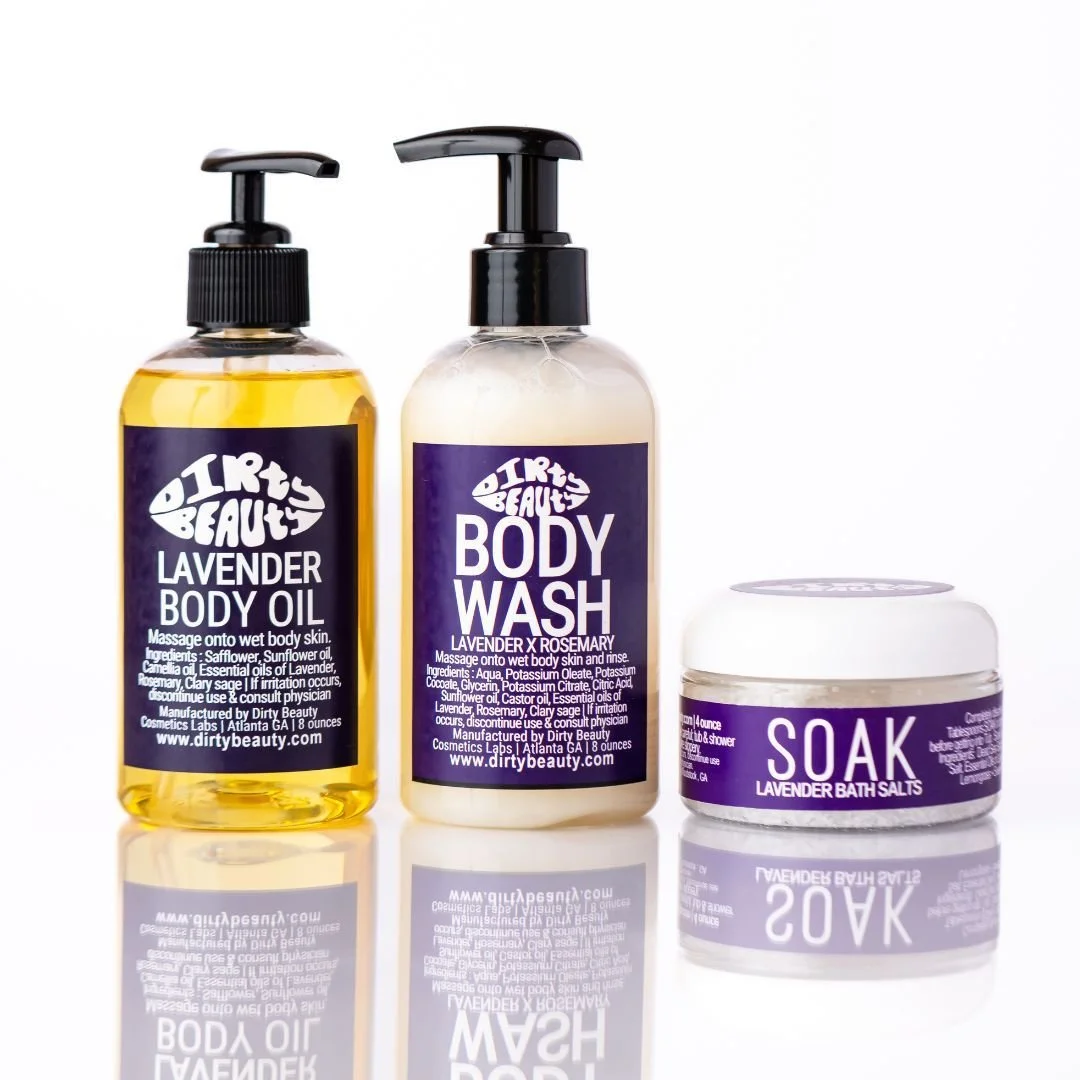 Image 2 of 17
 Image 3 of 17
 Image 4 of 17
 Image 5 of 17
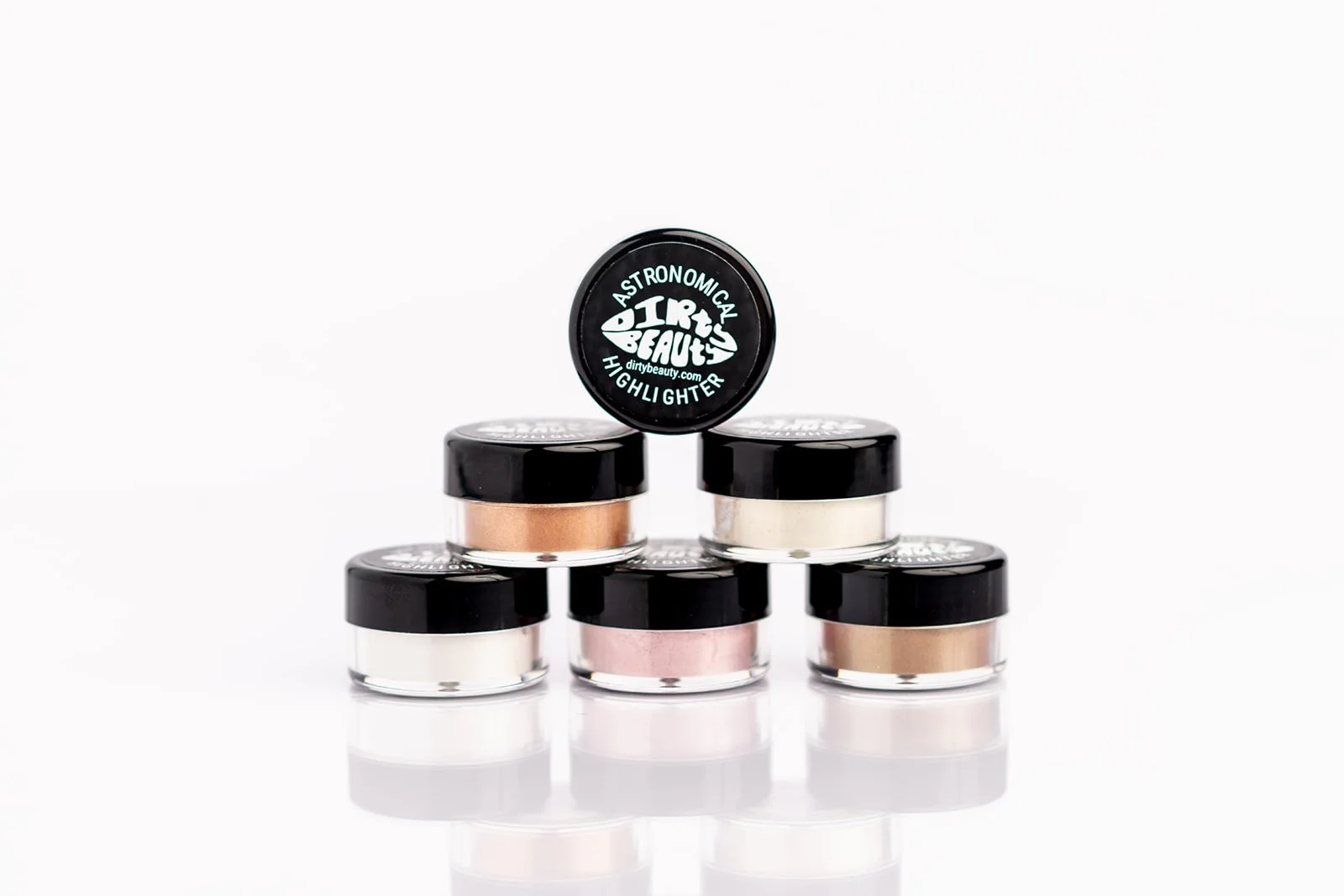 Image 6 of 17
 Image 7 of 17
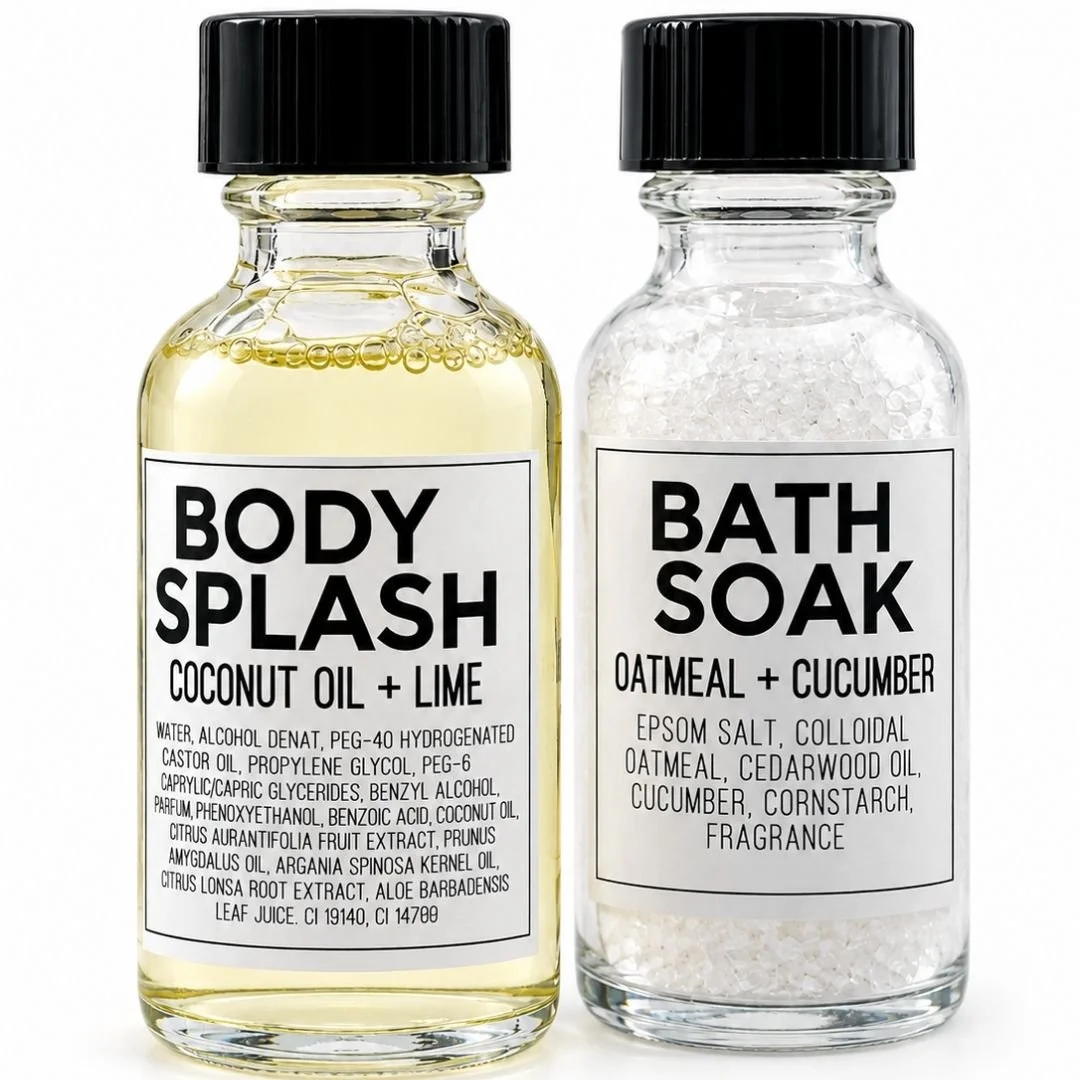 Image 8 of 17
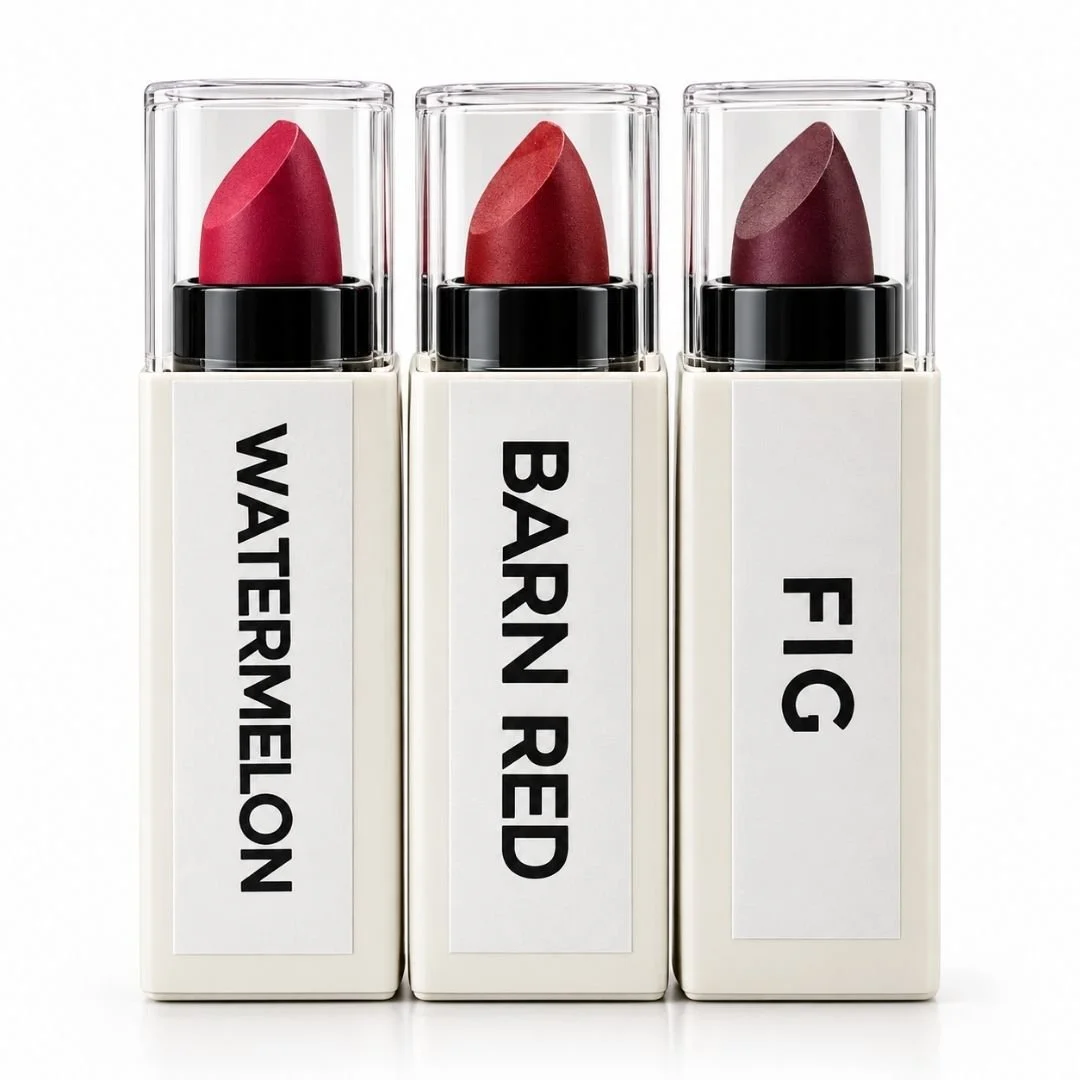 Image 9 of 17
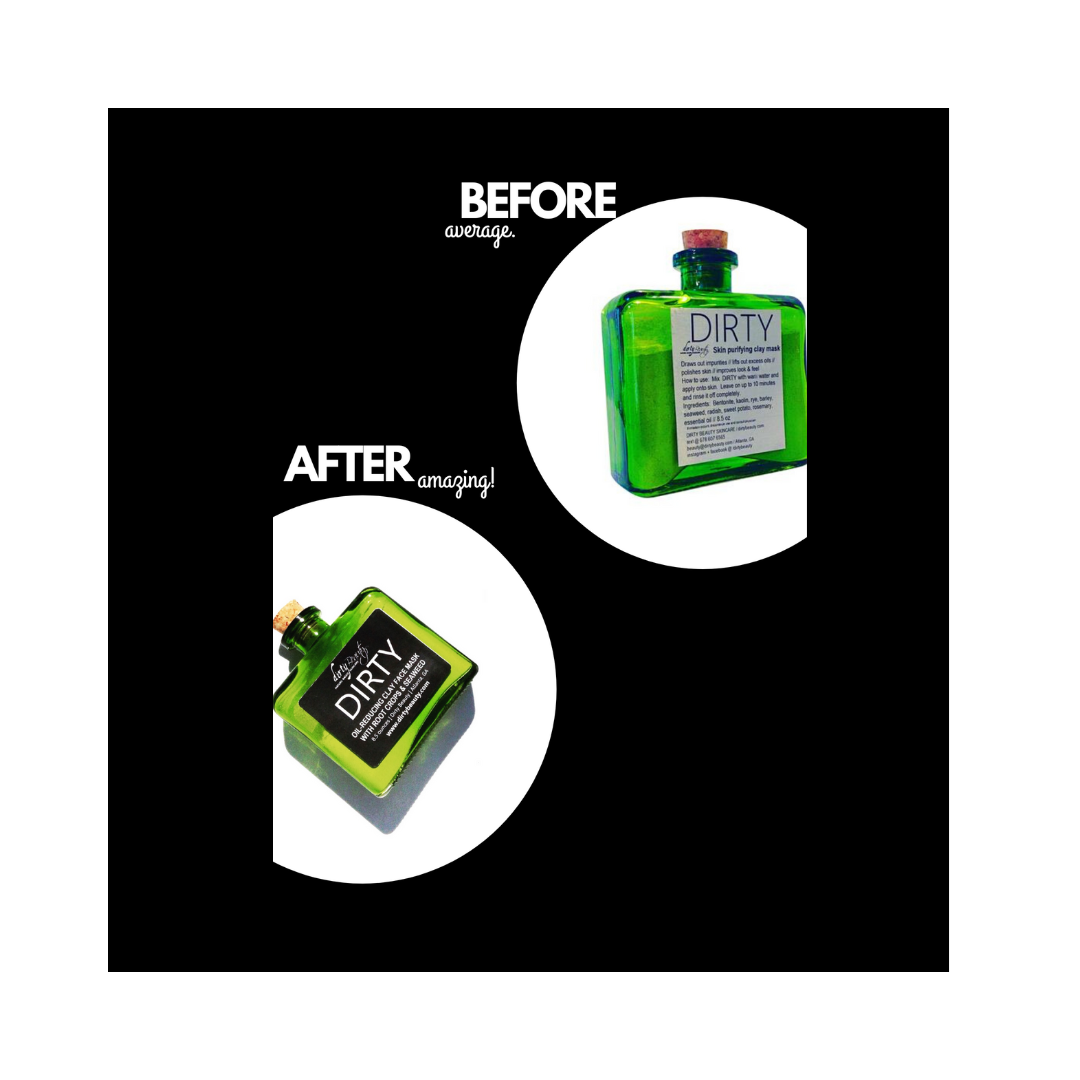 Image 10 of 17
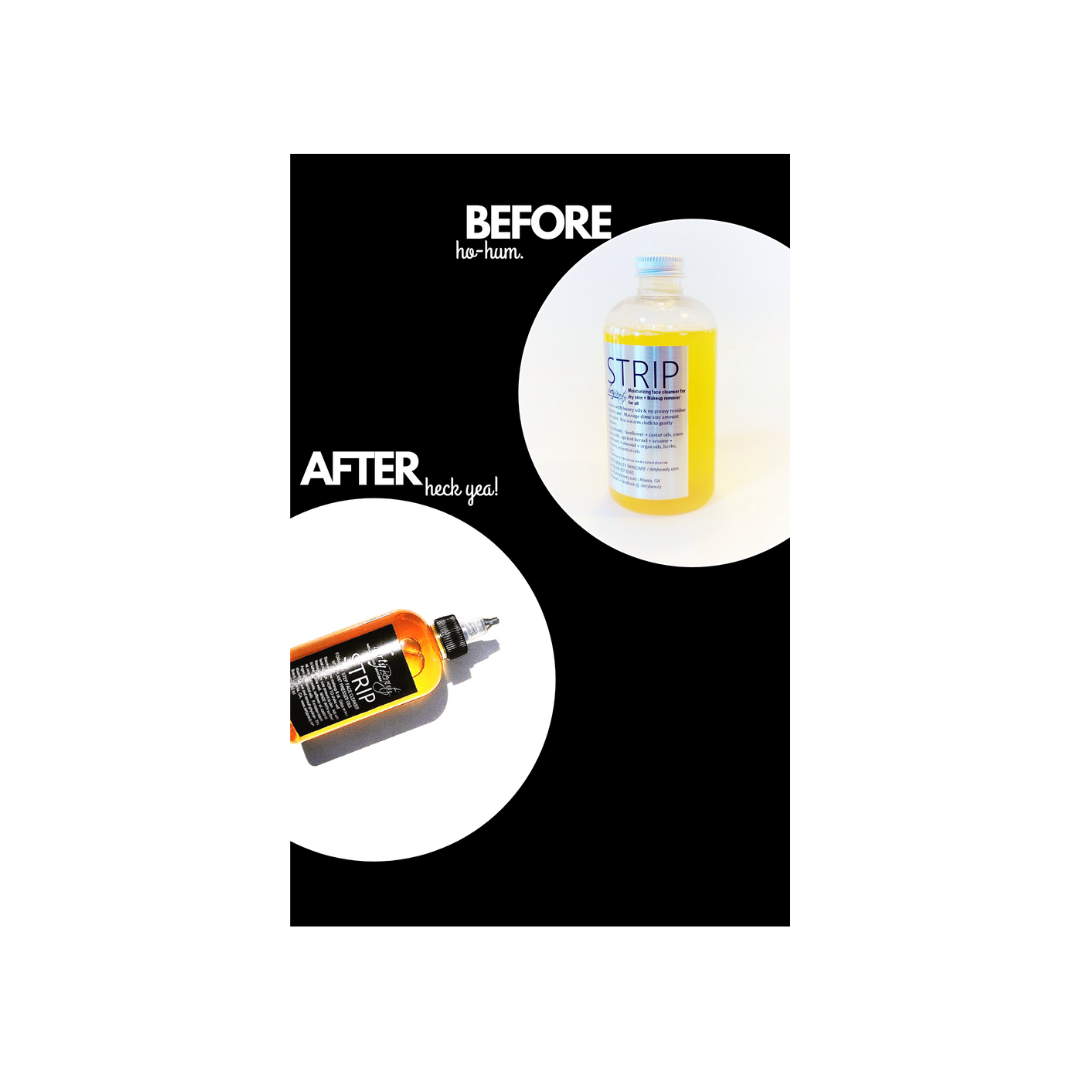 Image 11 of 17
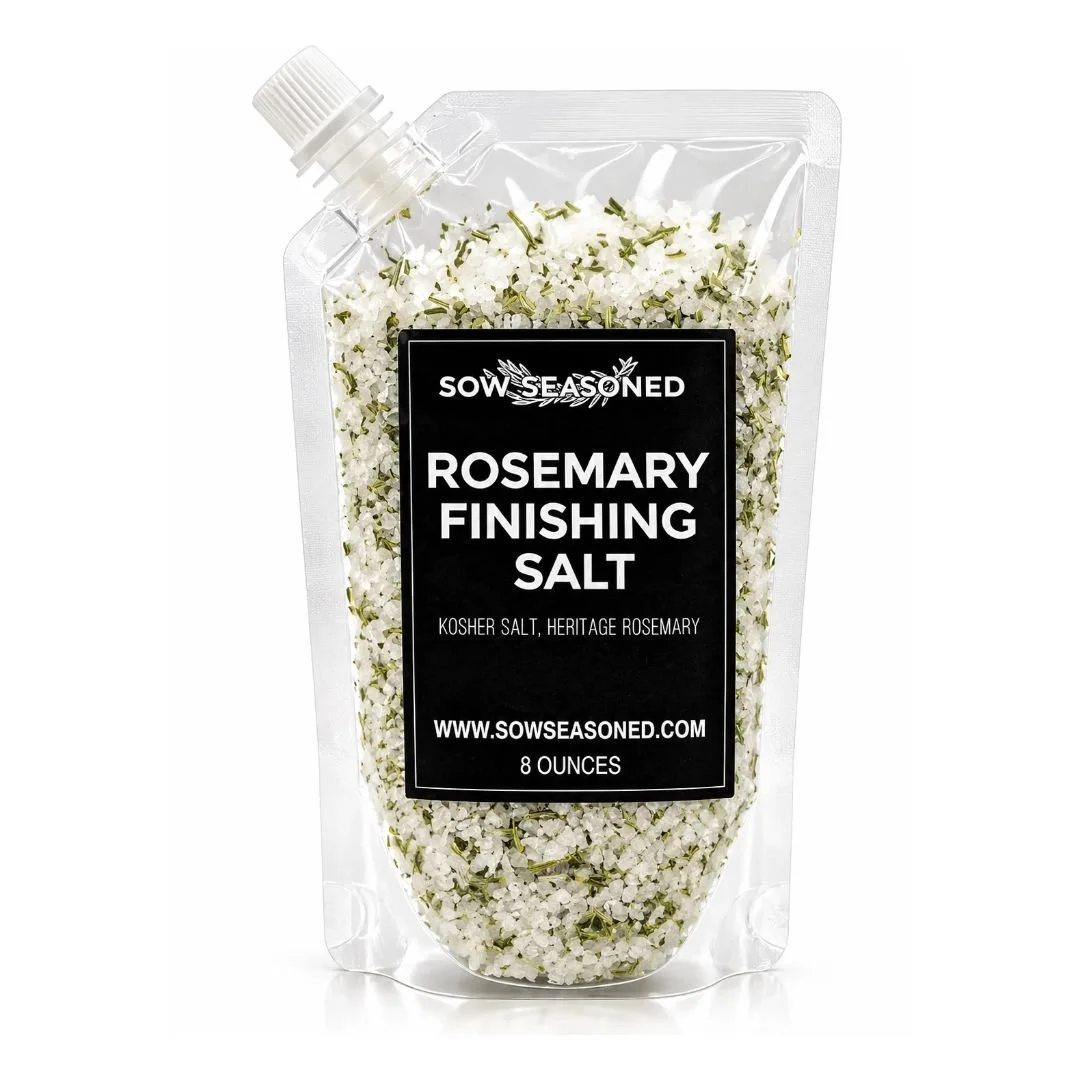 Image 12 of 17
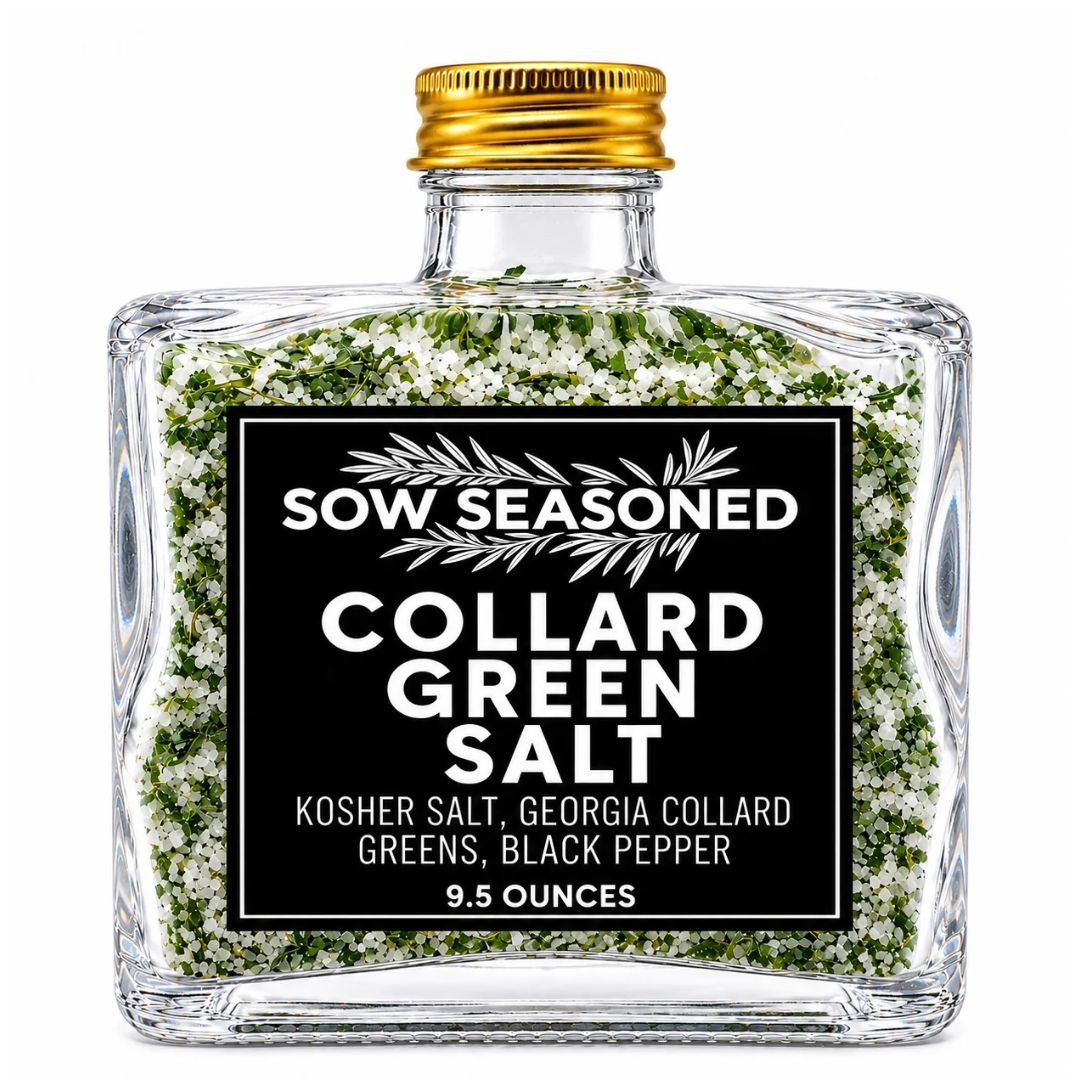 Image 13 of 17
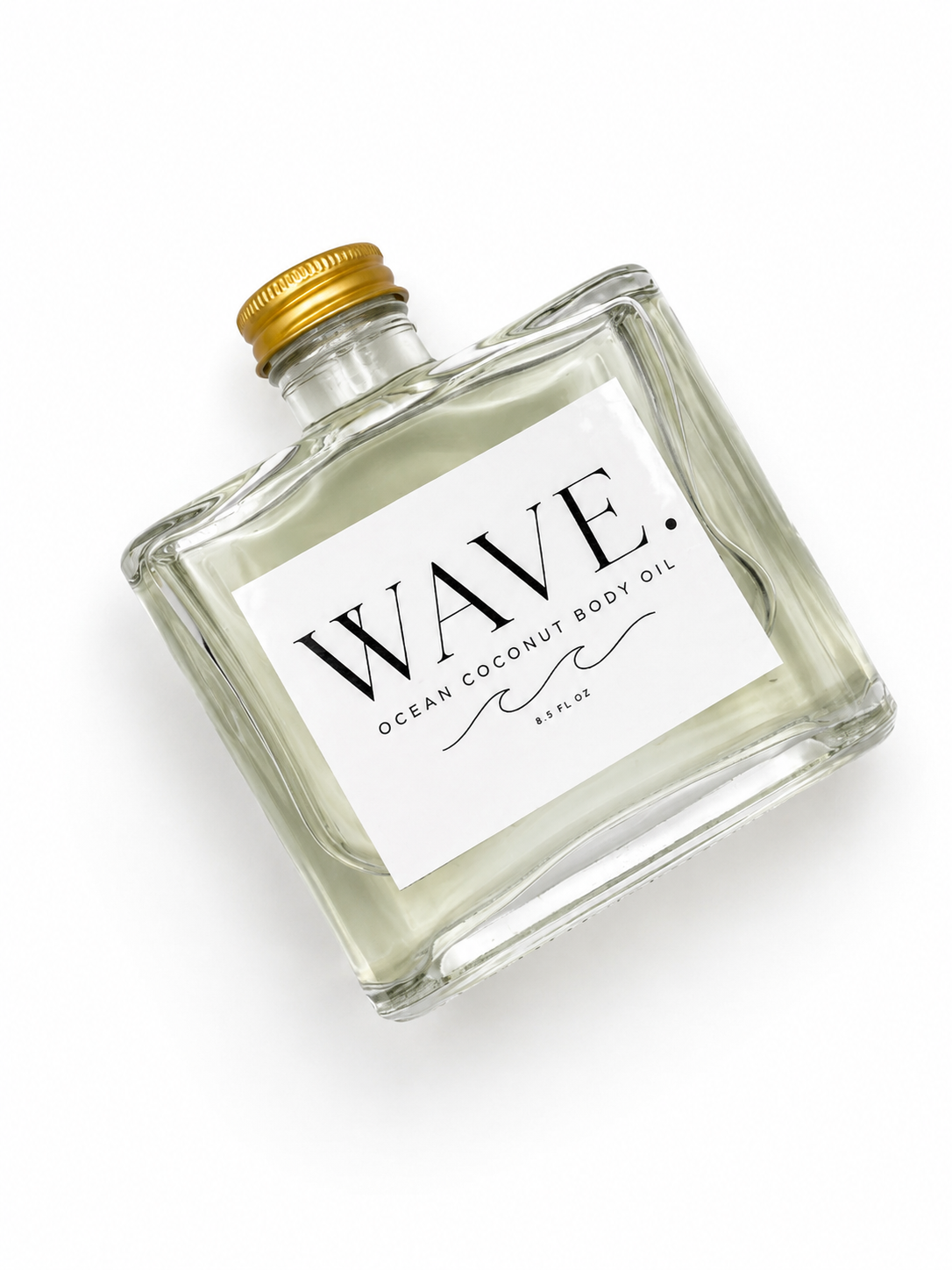 Image 14 of 17
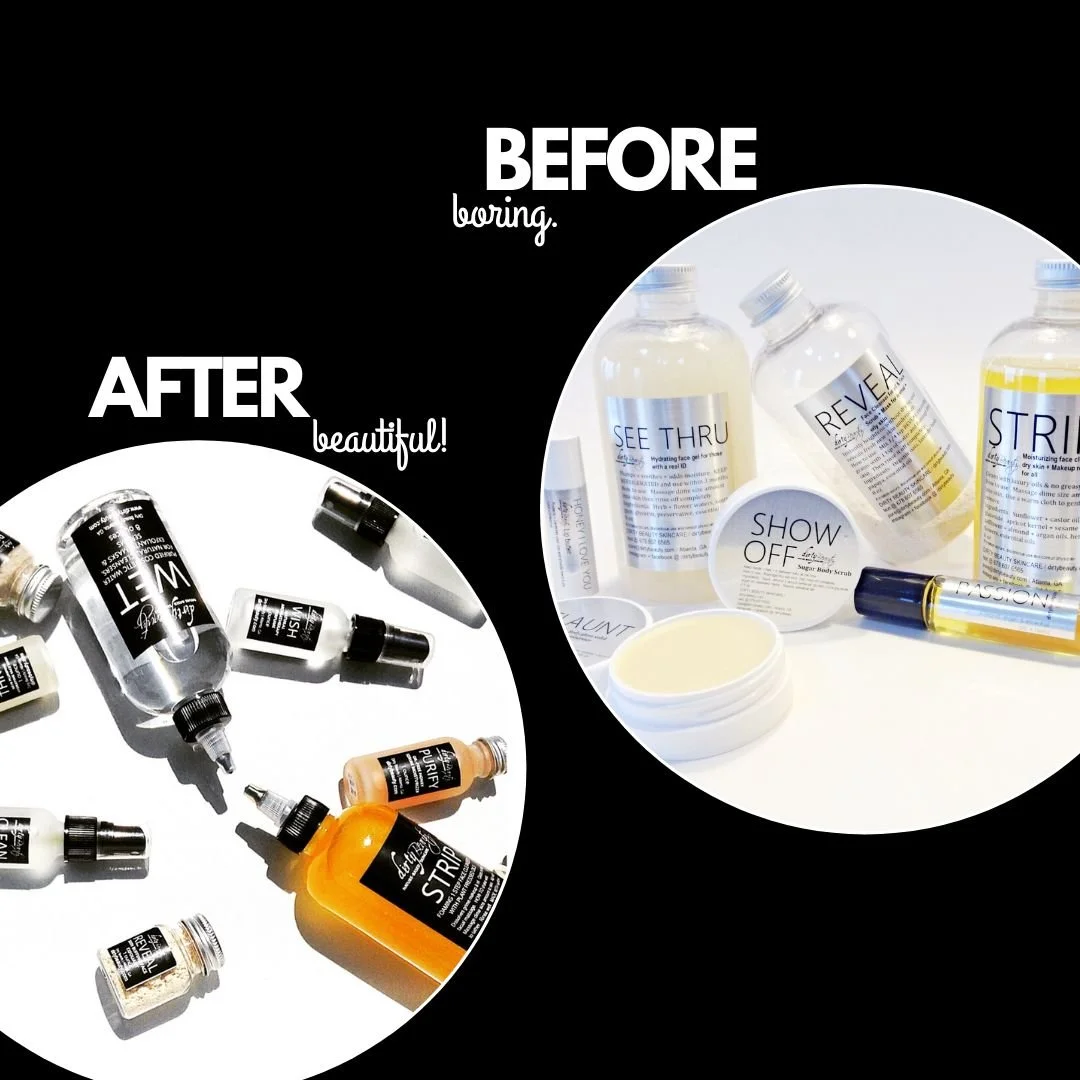 Image 15 of 17
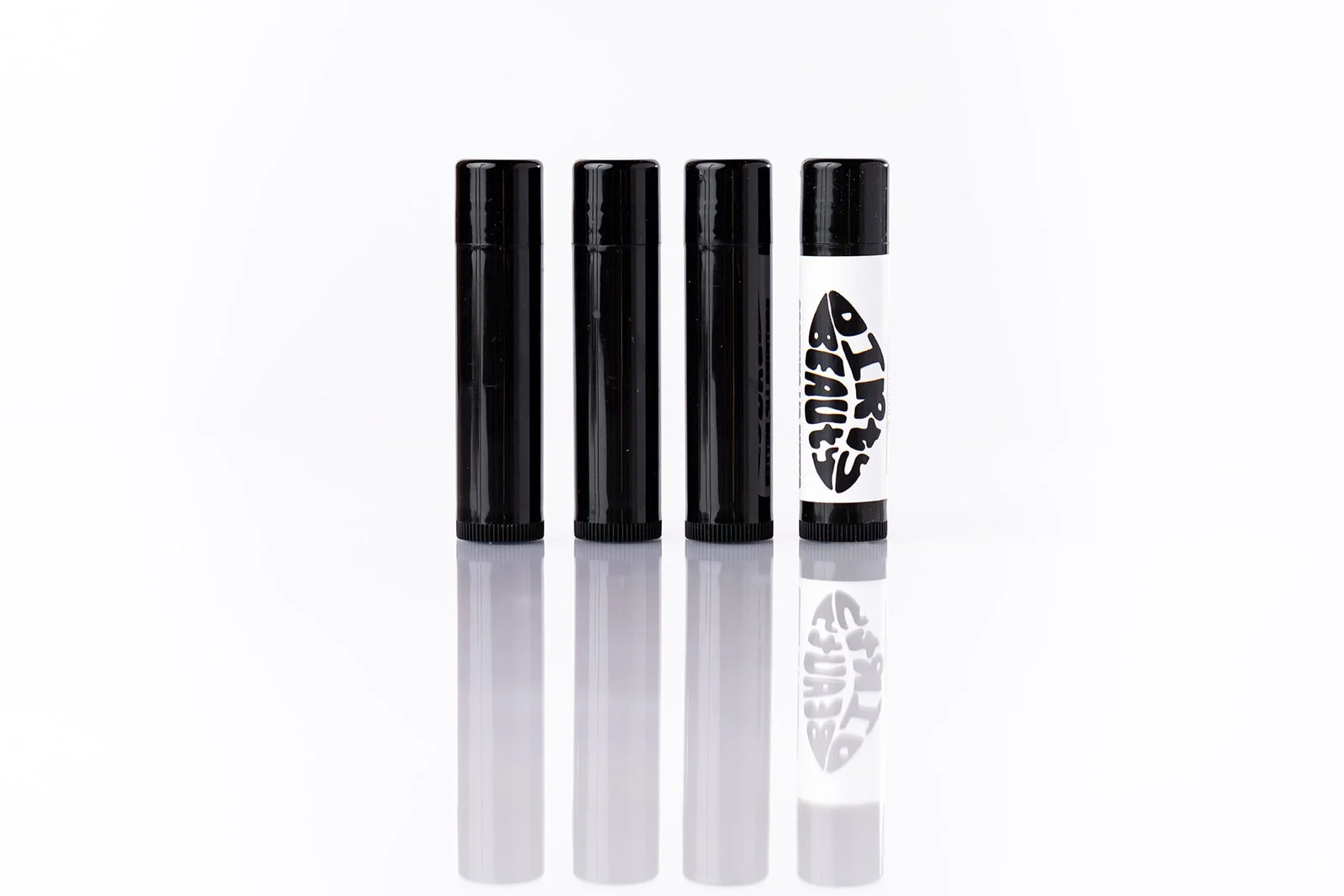 Image 16 of 17
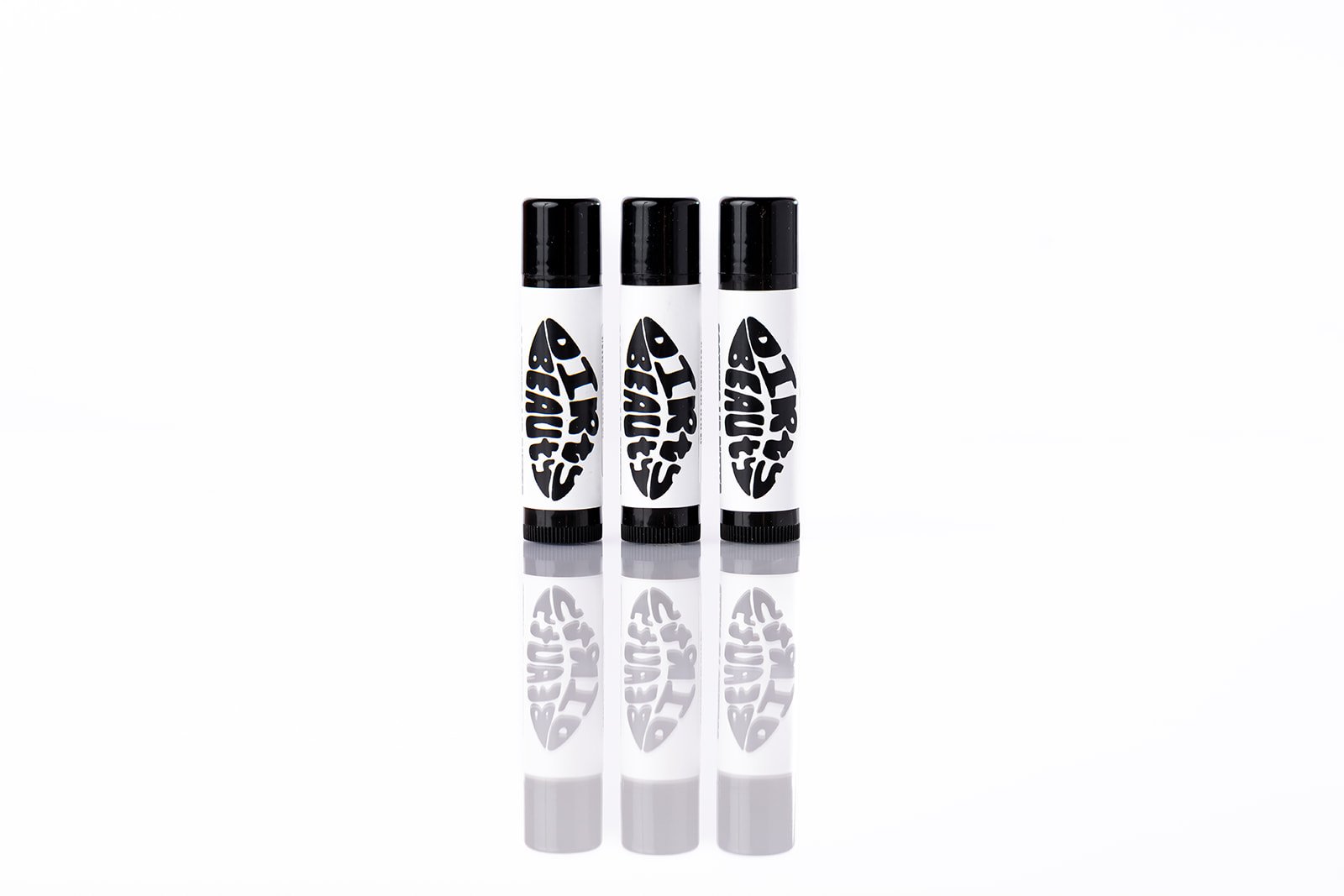 Image 17 of 17